Digital Art and Web Design
Home | Contact Mr.Zimmer | CeramicsDigital Art | Photography

Access grades and comments - click here! 
Mr. Zimmer provides instant access to grades and comments online. 
The secure system enables students to monitor grades and receive instant feedback.


Class files: 
(self-extracting zip files)

  Photoshop
 
Illustrator

 
Beginning HTML
 
Advanced HTML
 
Graphic design for web
  Photoshop (2) files

* Please note: student sites are hosted on a test-server (zwdemo.com), which is operated and maintained by Mr. Zimmer (of ZimmerWorks.com).  Content is monitored carefully and Landon's acceptable use policy is in full force when using ZimmerWorks
test-server.

Historical student sites:

 Online Resources:  

     Free Dreamweaver templates
     MORE free templates

   
Graphic designer site
   
Free online resources
     Font identification tool

     Meta tag information and help

 Projects:

      Project #1 (Photoshop)
      Project #2 (Web site)
      Project #3 (ArtRage)
      Project #4 (Presentation)
      Project #5 (Illustrator)

      Extra (Spring semester only):

      Project #6 (site revision)
      Project #7 (theme montage)
      

 AP Studio Art:

 Current students:


  Grading Standards:

  Teaching Philosophy

  Mr. Zimmer's suppliers

  FlashMX related:

   Inspirational sites/projects:

  Tutorial resource sites:

Course description: This course is designed to develop both technical and artistic skills using computers as a creative tool to generate images.  Digital art created in this course will be applied to electronic slide shows, web pages and hard copy prints. Students interested in this class should have a basic working knowledge of computers. Students will work with Photoshop (newest version), ArtRage, Illustrator, and DreamWeaver.  Students with a particularly strong command of a specific program will be asked to prepare a short tutorial presentations for the benefit of the class; collaboration and peer support is essential.  Ideas and projects will be developed in tutorials, class assignments, and class critiques.  Students should plan on spending at least two hours per week on projects and/or assignments outside of class (computers in lab B and the photography classroom are available at all times).  Short PowerPoint presentations will be used to introduce new material and students will be encouraged to view a wide variety of digital art online and in print form.  Students must use their original artwork and source material for all projects.  Magazine images and/or previously published material may not be used in final works.

Objectives: The objective of this course is to achieve proficient skills using Photoshop, Dreamweaver, ArtRage, Illustrator, and Flash to generate a broad range of digital images and web content. Finished projects will demonstrate understanding of both the technical and aesthetic implication of the medium. The final objective will be to generate a digital portfolio (website) that can be viewed both electronically and as hard-copy prints. Students will create a website that includes all work created during the semester.

Portfolios: Final portfolios will include all completed assignments.  Digital versions of all projects will be saved to disk (CD) and posted  to a web accessible folder, which will remain up and running until one month AFTER a student graduates from Landon.  The hope is that students will continue to maintain and develop their  site, long after taking the class, and integrate the web accessible information into the college application process. 

Grading: Grading will be based on production of assigned work, attendance, class participation, critiques, and homework. 
The semester grade will be 50% assigned projects (#1-4), 30% final project, and 20% classroom participation.
  Grades will be made available online at: http://www.eclassinfo.com/home.asp?id=zimmer.

Teaching Philosophy

 
Fascinating Flash movie (above) created to help explain the evolution and history of the Internet.
The animation (above)  is not only informative, but also serves as a wonderful example of what can be
achieved using basic Flash functions (import raster graphic to stage, tween movement, orient object to path, synchronize sound to action, imbedded actions, etc.

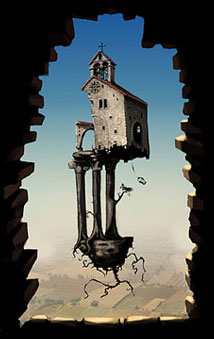
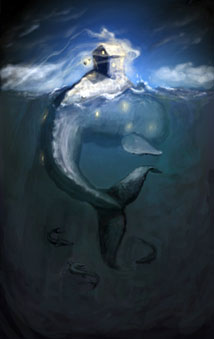
Samples and inspirational images (educational use only!):
(Please note: These images are not approved for publication.  They are intended for motivational and sample use by Digital Art and Web design students only.)


Fine art print

Fine art print

Graphic design (vector image)

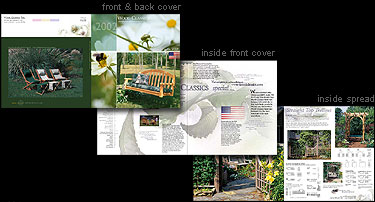
Corporate graphics
(vector image)
business package


Corporate graphic
(vector image)


Independent project
(image produced by
student using CS4)

  We will create:

Digitally generated fine art prints (large!)
(Photoshop 7 and Painter 8)

Business packages
 (card, letter head, envelope, etc. -- Adobe
Illustrator 10)

A professional looking web site
(DreamweaverMX, FrontPage, etc.)


Please note: These images (listed above) are not approved for publication.  They are intended
for motivational and sample use by Digital Art and Web design students only.

This course is also offered second semester, sign up early (see Mr. Fullerton)!  FYI -- The class fills quickly, be sure to see Mr. Fullerton at Landon to reserve your spot. 


Home | Contact Mr.Zimmer | CeramicsDigital Art | Photography

ZimmerWebWorks.com

Web (via Google)