|
Assignment
#3
In this assignment you will use ArtRage to create a series of 2+
digital drawings and paintings.
For each drawing and/or painting, create a new file in ArtRage,
800 pixels wide
by 600 pixels tall @ a resolution of 150 dpi. FYI -- We will be
utilizing tablet laptops when making use of ArtRage.
Image #1: Dynamic view of campus, which involves
asymmetrical balance and a sense of depth. Consider of the
colors you are using, the variety of tonal range and scale of
both the strokes and shapes you will employ in this work.
Image #2: Create a drawing or painting from your
imagination. Consider converting a montage that you
created in Photoshop into an interesting drawing. Be sure
the composition involves a sense of depth! Consider line,
value and detail very carefully (dark values and detail in the
front, lighter values and less detail in the background).
Optional
image #1:
Import a photograph from Photoshop and modify
using ArtRage. You may paint over it, distort it, etc. Do not
use a published image, this photograph must be your own. Make
sure to save the original photograph. During critique we will
compare the original to the digital painting. Produce a
single image that essentially coverts a photograph into a more
dynamic drawing/painting. Consider blending multiple
photographs and making use of multiple drawing and painting
tools.
Optional image #2: Utilize a full range of
ArtRage skills and produce an image that promotes an idea or
conveys a concept. Your poster should include at least one image, one piece of
text, and one graphic element (shape/line). To view great
samples of this project conduct a search using Yahoo and/or
Google (enter "inspirational posters").
Sample posters (created by students at St. Andrew's School).
Samples
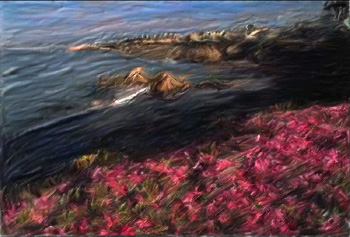
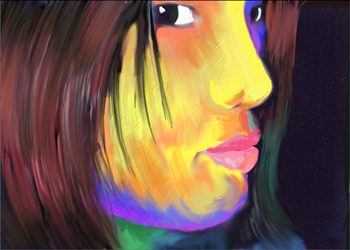
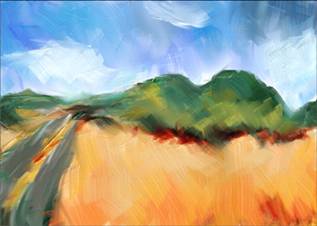
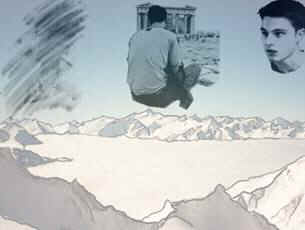
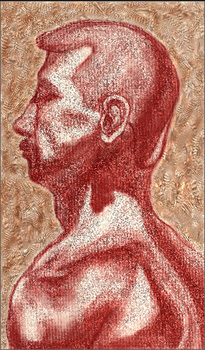
-- the following images were recently produced by Georgetown University students
-- courtesy of Mrs. Robinson at Georgetown University.
Specific
grading criteria for assignment #3 (ArtRage):
-
Demonstrate an ability to utilize a wide range of ArtRage tools and
techniques (the more the better!).
- Effectively
transform a photograph into a digital painting.
-
Create a drawing, or painting, from scratch using ArtRage.
- Final
images should be saved in .tiff and .jpg format.
The .tiff image should be 11” x 14” at 150
resolution (a large file).
|
|